Software for Adversary Simulations and Red Team Operations
Adversary Simulations and Red Team Operations are security assessments that replicate the tactics and techniques of an advanced adversary in a network. While penetration tests focus on unpatched vulnerabilities and misconfigurations, these assessments benefit security operations and incident response.

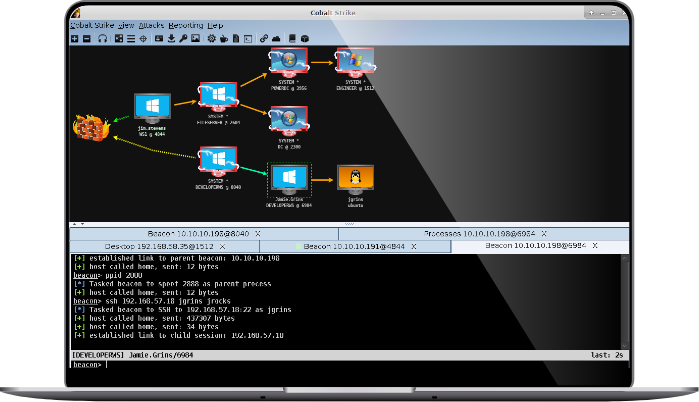
Why Cobalt Strike?
Cobalt Strike gives you a post-exploitation agent and covert channels to emulate a quiet long-term embedded actor in your customer’s network. Malleable C2 lets you change your network indicators to look like different malware each time. These tools complement Cobalt Strike’s solid social engineering process, its robust collaboration capability, and unique reports designed to aid blue team training.
A Key Part of Fortra
Cobalt Strike is proud to be part of Fortra’s comprehensive cybersecurity portfolio. Fortra simplifies today’s complex cybersecurity landscape by bringing complementary products together to solve problems in innovative ways. These integrated, scalable solutions address the fast-changing challenges you face in safeguarding your organization. With the help of powerful tools like Cobalt Strike, Fortra is your relentless ally, here for you every step of the way throughout your cybersecurity journey.
Getting Started

Pricing
New Cobalt Strike licenses cost as low as $3,540 (US price) when bundled with other offensive security products. Cobalt Strike can be bundled with Core Security’s penetration testing tool, Core Impact, or Outflank’s evasive attack simulation product, OST, for a reduced price.


Training Resources
- Watch the Red Team Operations with Cobalt Strike course
- Review the documentation
About Cobalt Strike
Raphael Mudge created Cobalt Strike in 2012 to enable threat-representative security tests. Cobalt Strike was one of the first public red team command and control frameworks. In 2020, Fortra (the new face of HelpSystems) acquired Cobalt Strike to add to its Core Security portfolio and pair with Core Impact. Today, Cobalt Strike is the go-to red team platform for many U.S. government, large business, and consulting organizations.